
How to organise a pantry into zones
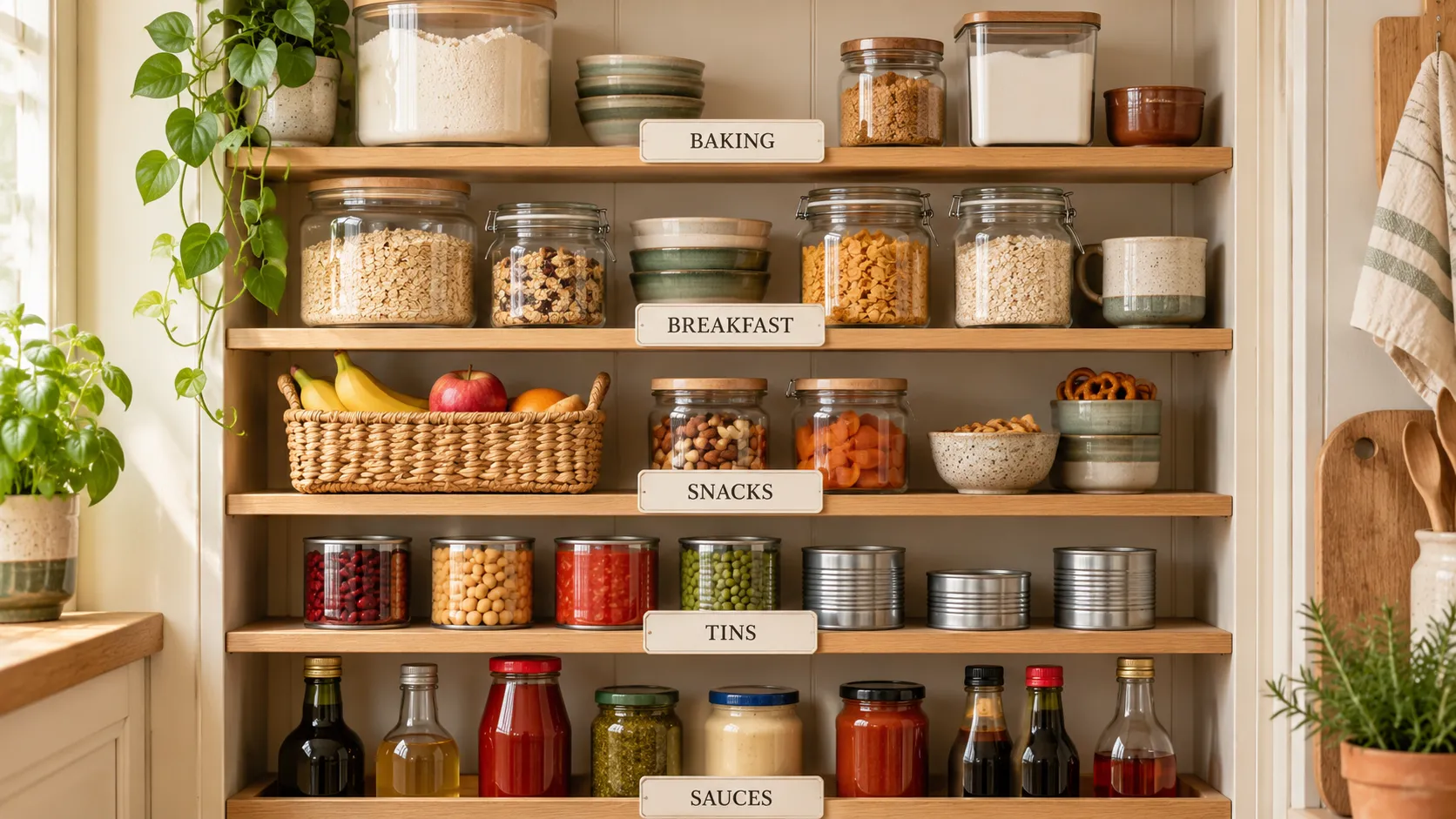
Group pantry items by how you use them: baking supplies, breakfast foods, snacks, tins and sauces. Give each group a fixed shelf area and keep food that needs using soon within reach. Check those areas before shopping so you can see what is missing and what you already have.
If tins, flour and snacks go into any available gap, checking stock means searching several shelves. Fixed areas for each category make it easier to put groceries away and check whether another packet is needed.
For a food record you can check while shopping, join Marsonya’s early-access list. We will email you when access opens.
What is a pantry zone?
A zone is a shelf area for a food category, such as baking supplies or breakfast foods. Keep the same category in the same place after each shop. A shelf check can then show whether you have enough of an ingredient without searching the whole cupboard.
Which zones does a home pantry actually need?
Choose categories that fit what your household buys. Everyday staples, breakfast, baking, tins and jars, and snacks are useful starting points. Keep heavy tins and jars on a lower shelf. Make a small use-first area for food nearing its date, and follow each item’s storage instructions. There is no required number of zones.
How do you keep zones from collapsing?
Label the shelf edges so anyone unpacking the shopping can follow the layout. Put a second jar behind the first after checking their dates. Include the use-first area when planning meals, so food placed there gets used while it is still suitable. The FIFO guide explains stock rotation in more detail.
How can an app help you check the stock?
Marsonya keeps pantry, fridge and freezer records together, so you can look up food while shopping. Barcode lookup identifies packaged products, and camera scanning saves recognised printed dates. Storage locations keep food assigned to the pantry, fridge or freezer without copying each shelf into separate shopping notes.
The pantry inventory guide explains how the shelf layout and stock record work together.
What else do people ask about pantry zones?
How many zones should a small pantry have?
Use only the categories your household needs. A few fixed areas can be enough; there is no required number of zones or need to buy matching storage containers.
Should every spare jar go in the use-first area?
Use that area for food that needs attention sooner. Keep other spare jars with their category, behind the one being used, while following dates and storage instructions.
Can the app put groceries in the right physical place?
No. Marsonya keeps food records and dates together; the household still puts groceries away. A simple shared layout makes that part easier, while barcode lookup and recognised date scanning reduce typing in the app.